To integrate our ArcGis widget with your page:
- Acquire our API token
- Retrieve custom code from our Github repository (arcgis/index.html)
- Update the retrieved index.html with your token in place of YOURTOKEN
- Follow the guide:
In addition to ensuring you’ve entered your API token where it belongs, also ensure the API url corresponds to the type of your key. Change the URL as needed right above YOURKEY in the file.
The main endpoint should be https://www.geoaddress-checked.ie/api/v1.
Additionally, if you are using a full-production key, make sure that your key is enabled to return locations. Without it, the addresses won’t be able to be displayed on the map. If that is the case, please contact us to upgrade your key.
If everything is done, now it’s time to see the widget in action: drag and drop the downloaded and updated index.html file to your browser.
You should see a map of Ireland displayed, with an address lookup input in the top right corner.
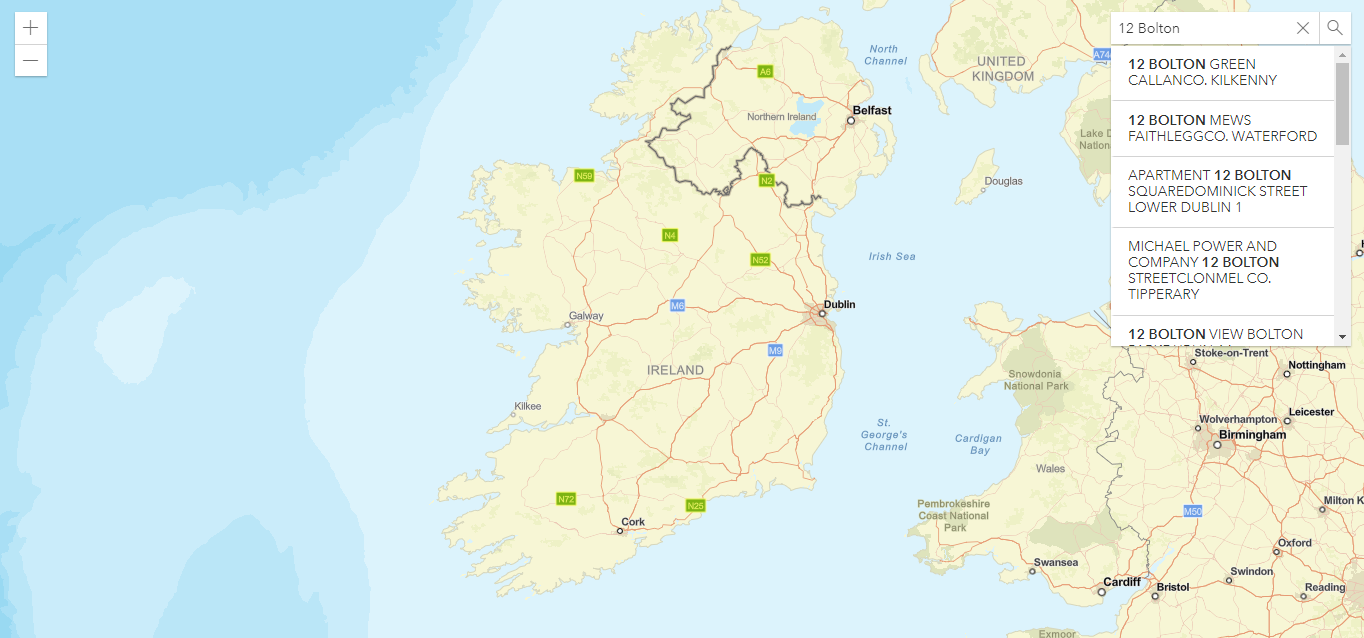
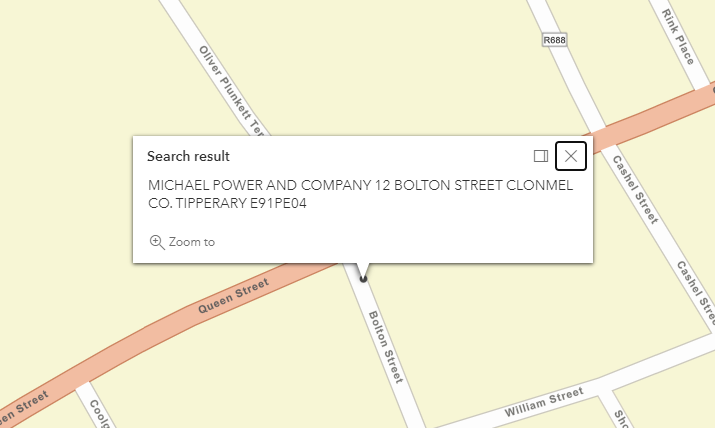
If you start typing in the search, the API will deliver the results in form of a dropdown. If you pick an address from the delivered list of addresses, the map will center and zoom in on the address, displaying address details in the popup.